Note
Plugin was rewritten to Lua from Python. Please check the migration guide for more information.
Ensure you have the following installed:
- Neovim stable (0.9.5) or nightly.
return {
  {
    "CopilotC-Nvim/CopilotChat.nvim",
    branch = "canary",
    dependencies = {
      "zbirenbaum/copilot.lua", -- or github/copilot.vim
      { "nvim-telescope/telescope.nvim" }, -- Use telescope for help actions
      { "nvim-lua/plenary.nvim" }, -- for curl, log wrapper
    },
    opts = {
      debug = true, -- Enable or disable debug mode, the log file will be in ~/.local/state/nvim/CopilotChat.nvim.log
    },
    config = function(_, opts)
      local chat = require("CopilotChat")
      local select = require("CopilotChat.select")

      chat.setup(opts)

      -- Restore CopilotChatVisual
      vim.api.nvim_create_user_command("CopilotChatVisual", function(args)
        chat.ask(args.args, { selection = select.visual })
      end, { nargs = "*", range = true })

      -- Restore CopilotChatInPlace (sort of)
      vim.api.nvim_create_user_command("CopilotChatInPlace", function(args)
        chat.ask(args.args, { selection = select.visual, window = { layout = "float" } })
      end, { nargs = "*", range = true })

      -- Restore CopilotChatBuffer
      vim.api.nvim_create_user_command("CopilotChatBuffer", function(args)
        chat.ask(args.args, { selection = select.buffer })
      end, { nargs = "*", range = true })
    end,
    event = "VeryLazy",
    keys = {
      { "<leader>ccb", "<cmd>CopilotChatBuffer ", desc = "CopilotChat - Chat with current buffer" },
      { "<leader>cce", "<cmd>CopilotChatExplain<cr>", desc = "CopilotChat - Explain code" },
      { "<leader>cct", "<cmd>CopilotChatTests<cr>", desc = "CopilotChat - Generate tests" },
      {
        "<leader>ccv",
        ":CopilotChatVisual ",
        mode = "x",
        desc = "CopilotChat - Open in vertical split",
      },
      {
        "<leader>ccx",
        ":CopilotChatInPlace<cr>",
        mode = "x",
        desc = "CopilotChat - Run in-place code",
      },
      {
        "<leader>ccf",
        "<cmd>CopilotChatFixDiagnostic<cr>", -- Get a fix for the diagnostic message under the cursor.
        desc = "CopilotChat - Fix diagnostic",
      },
    },
  },
}Similar to the lazy setup, you can use the following configuration:
Plug 'CopilotC-Nvim/CopilotChat.nvim'
Plug 'nvim-telescope/telescope.nvim'
Plug 'nvim-lua/plenary.nvim'
call plug#end()

local copilot_chat = require("CopilotChat")
copilot_chat.setup({
  debug = true,
  prompts = {
    Explain = "Explain how it works by Japanese language.",
    Review = "Review the following code and provide concise suggestions.",
    Tests = "Briefly explain how the selected code works, then generate unit tests.",
    Refactor = "Refactor the code to improve clarity and readability.",
  },
})

nnoremap <leader>cce <cmd>CopilotChatExplain<cr>
nnoremap <leader>cct <cmd>CopilotChatTests<cr>
Credit to @treyhunner and @nekowasabi for the configuration.
- Put the files in the right place
$ git clone https://github.com/CopilotC-Nvim/CopilotChat.nvim
$ cd CopilotChat.nvim
$ cp -r --backup=nil rplugin ~/.config/nvim/
- Add to you configuration
local chat = require('CopilotChat')
local select = require('CopilotChat.select')

chat.setup({
    prompts = {
        FixDiagnostic = {
            prompt = 'Please assist with the following diagnostic issue in file:',
            selection = select.diagnostics,
            mapping = '<leader>ar',
        },
        Explain = {
            prompt = '/COPILOT_EXPLAIN /USER_EXPLAIN',
            mapping = '<leader>ae',
        },
        Tests = {
            prompt = '/COPILOT_TESTS /USER_TESTS',
            mapping = '<leader>at',
        },
        Documentation = {
            prompt = '/USER_DOCS',
            mapping = '<leader>ad',
        },
        Fix = {
            prompt = '/COPILOT_DEVELOPER /USER_FIX',
            mapping = '<leader>af',
        },
        Optimize = {
            prompt = '/COPILOT_DEVELOPER Optimize the selected code to improve performance and readablilty.',
            mapping = '<leader>ao',
        },
        Simplify = {
            prompt = '/COPILOT_DEVELOPER Simplify the selected code and improve readablilty',
            mapping = '<leader>as',
        },
    },
})

vim.keymap.set({ 'n', 'v' }, '<leader>aa', chat.toggle, { desc = 'CopilotChat.nvim Toggle' })
vim.keymap.set({ 'n', 'v' }, '<leader>ax', chat.reset, { desc = 'CopilotChat.nvim Reset' })
Credit to @deathbeam for the configuration
You have the ability to tailor this plugin to your specific needs using the configuration options outlined below:
{
  debug = false, -- Enable or disable debug mode
  clear_chat_on_new_prompt = 'no', -- If yes then clear chat history on new prompt
  prompts = { -- Set dynamic prompts for CopilotChat commands
    Explain = 'Explain how it works.',
    Tests = 'Briefly explain how the selected code works, then generate unit tests.',
  }
}
You have the capability to expand the prompts to create more versatile commands:
return {
    "CopilotC-Nvim/CopilotChat.nvim",
    opts = {
      debug = true,
      prompts = {
        Explain = "Explain how it works.",
        Review = "Review the following code and provide concise suggestions.",
        Tests = "Briefly explain how the selected code works, then generate unit tests.",
        Refactor = "Refactor the code to improve clarity and readability.",
      },
    },
    event = "VeryLazy",
    keys = {
      { "<leader>cce", "<cmd>CopilotChatExplain<cr>", desc = "CopilotChat - Explain code" },
      { "<leader>cct", "<cmd>CopilotChatTests<cr>", desc = "CopilotChat - Generate tests" },
      { "<leader>ccr", "<cmd>CopilotChatReview<cr>", desc = "CopilotChat - Review code" },
      { "<leader>ccR", "<cmd>CopilotChatRefactor<cr>", desc = "CopilotChat - Refactor code" },
    }
}
For further reference, you can view @jellydn's configuration.
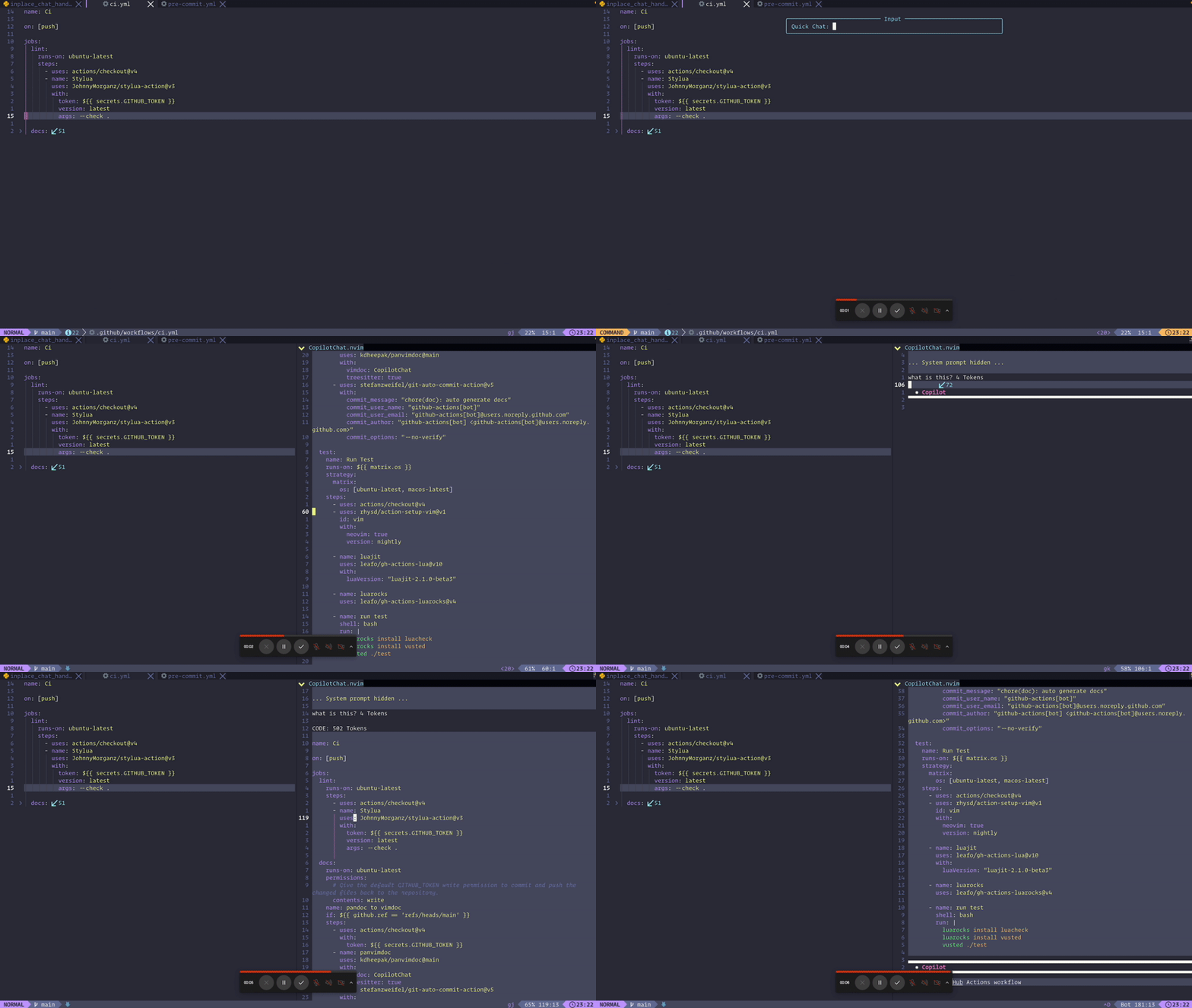
To chat with Copilot using the entire content of the buffer, you can add the following configuration to your keymap:
  -- Quick chat with Copilot
  {
    "<leader>ccq",
    function()
      local input = vim.fn.input("Quick Chat: ")
      if input ~= "" then
        vim.cmd("CopilotChatBuffer " .. input)
      end
    end,
    desc = "CopilotChat - Quick chat",
  }
Change the window layout to float to enable inline chat. This will allow you to chat with Copilot without opening a new window.
chat.setup({
    window = {
        layout = 'float',
        relative = 'cursor',
        width = 1,
        height = 0.4,
        row = 1
    }
})
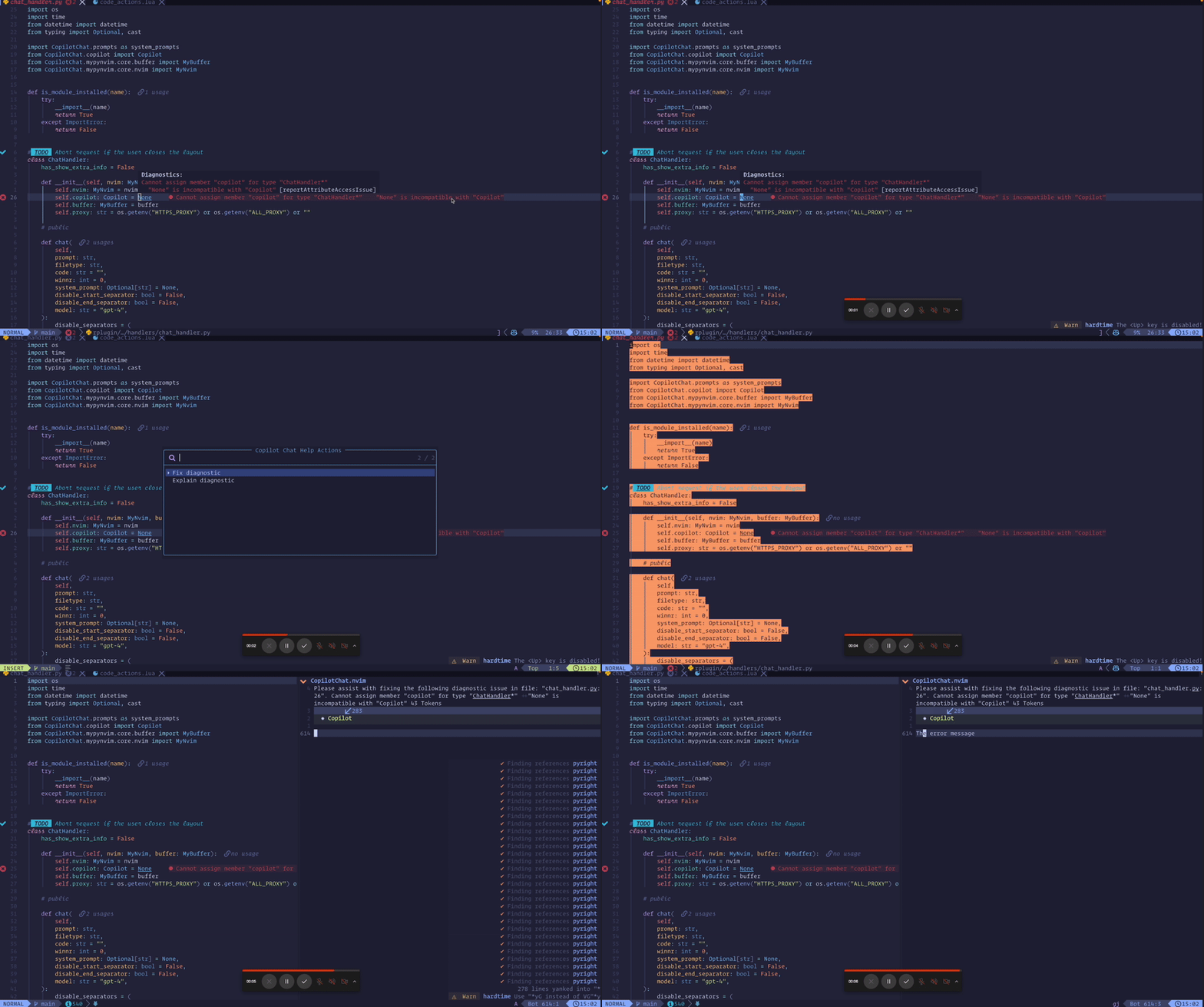
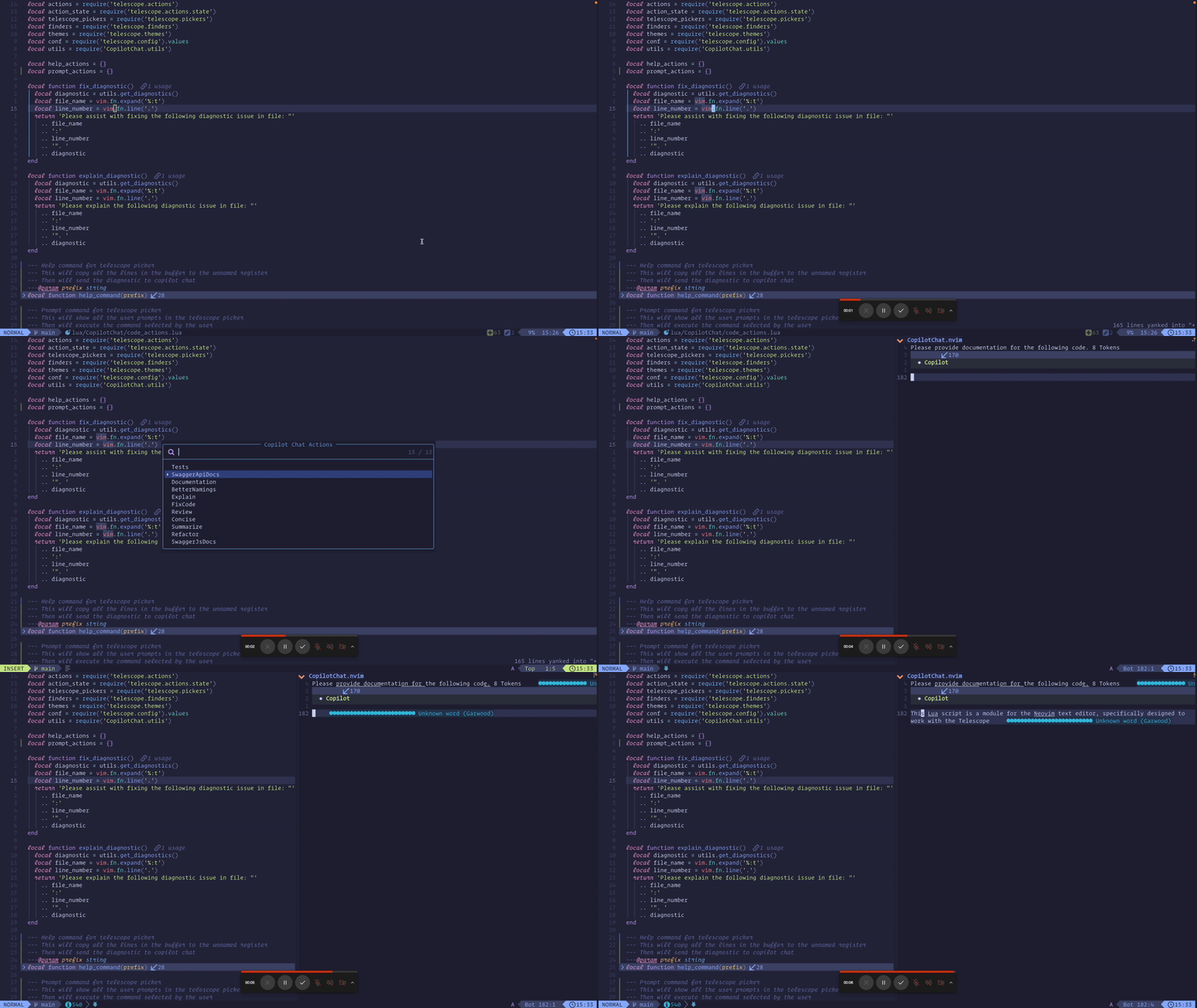
To integrate CopilotChat with Telescope, you can add the following configuration to your keymap:
  {
    "CopilotC-Nvim/CopilotChat.nvim",
    event = "VeryLazy",
    dependencies = {
      { "nvim-telescope/telescope.nvim" }, -- Use telescope for help actions
      { "nvim-lua/plenary.nvim" },
    },
    keys = {
     -- Show help actions with telescope
      {
        "<leader>cch",
        function()
          require("CopilotChat.code_actions").show_help_actions()
        end,
        desc = "CopilotChat - Help actions",
      },
      -- Show prompts actions with telescope
      {
        "<leader>ccp",
        function()
          require("CopilotChat.code_actions").show_prompt_actions()
        end,
        desc = "CopilotChat - Help actions",
      },
      {
        "<leader>ccp",
        ":lua require('CopilotChat.code_actions').show_prompt_actions(true)<CR>",
        mode = "x",
        desc = "CopilotChat - Prompt actions",
      },
    }
}-
Select help actions base the diagnostic message under the cursor.
-
Select action base on user prompts.
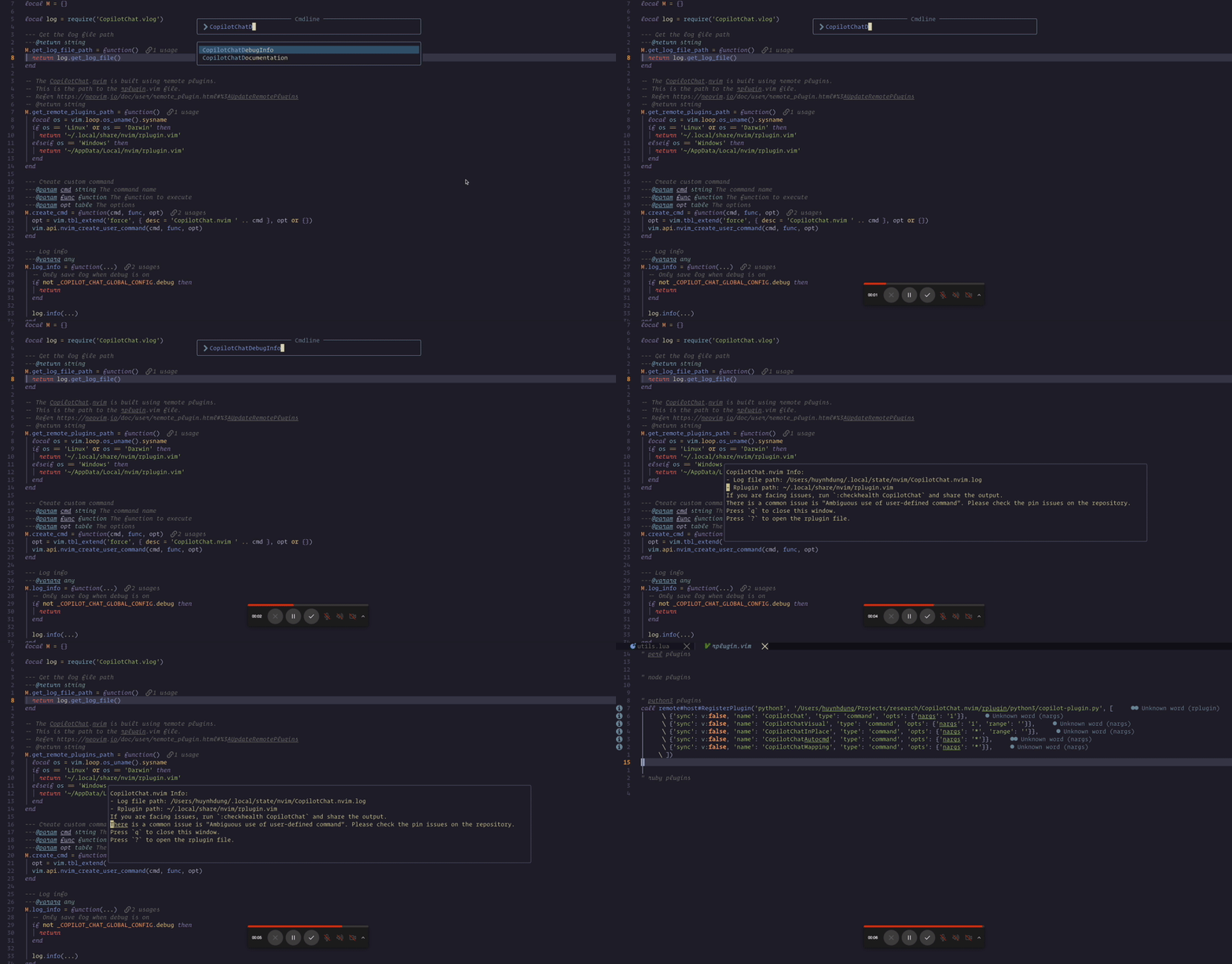
If you encounter any issues, you can run the command :messages to inspect the log. You can also run the command :CopilotChatDebugInfo to inspect the debug information.
- Use vector encodings to automatically select code
- Treesitter integration for function definitions
- General QOL improvements
For development, you can use the provided Makefile command to install the pre-commit tool:
make install-pre-commitThis will install the pre-commit tool and the pre-commit hooks.
Thanks goes to these wonderful people (emoji key):


This project follows the all-contributors specification. Contributions of any kind are welcome!