 GitHub Community
Unable to execute $ git push -u origin main, get error 403 forbidden #35478

Replies: 2 comments

-
|
try with ssh maybe your github needs that kind of security, sometimes password isn't enough to push your repository https://docs.github.com/en/authentication/connecting-to-github-with-ssh |
Beta Was this translation helpful? Give feedback.

-
That is the right approach in principle. Does your token have the right scopes? You need repo to be able to push in general, and workflow if you use Actions (to be able to make pushes that modify workflow files). Also check that the token hasn't expired. |
Beta Was this translation helpful? Give feedback.


Uh oh!
There was an error while loading. Please reload this page.
-
Hi,
Please I have tried to push my project to github on windows but I have been unsuccessful. I wrote to github but now I can't create a follow up ticket. When I try the command: $ git push -u origin main , I am prompted for my username and password. I then enter my github username and my git token and I get the error:
$ git push origin main
remote: Permission to Billjay65/humanr.git denied to Billjay65.
fatal: unable to access 'https://github.com/Billjay65/humanr.git/': The requested URL returned error: 403
I have tried to view windows credential manager but I dont't see any passwords or tokens.
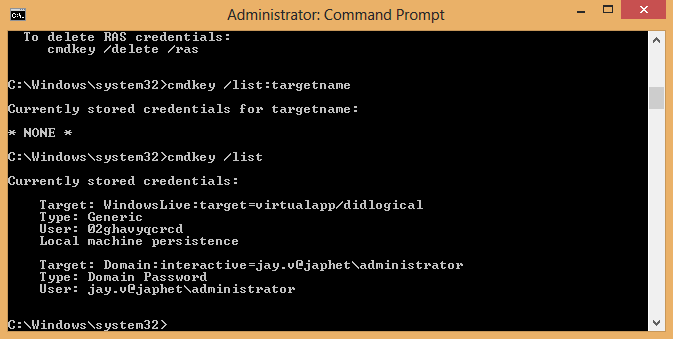
Please what is the problem. This has persisted for a month now. I am exhausted trying to find a solution.
Beta Was this translation helpful? Give feedback.
All reactions