 GitHub Community
Save "Sort by" settings #39127
Unanswered
MajorTomDE
asked this question in
Other Feature Feedback, Questions, & Ideas
Save "Sort by" settings
#39127

Replies: 3 comments 3 replies

-
|
Travis |
Beta Was this translation helpful? Give feedback.
0 replies

-
|
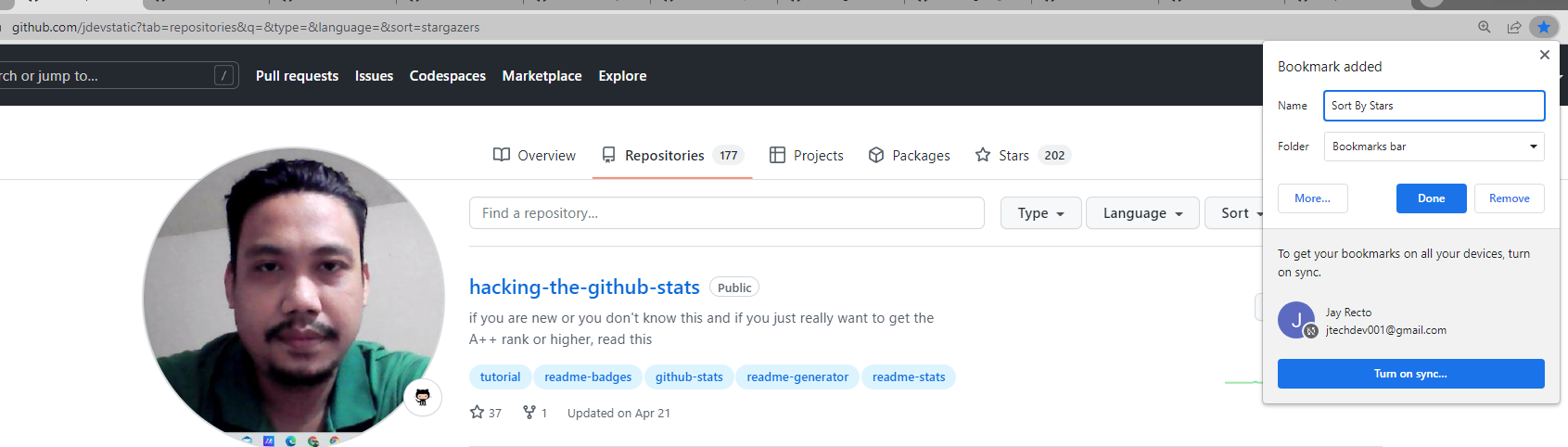
I'm using the regular bookmark of Chrome as of now, once you click your Sort by or you can Save the link for that, since it's in the URL, like this https://github.com/jdevstatic?tab=repositories&q=&type=&language=&sort=stargazers that's mine, get yours
|
Beta Was this translation helpful? Give feedback.
0 replies
Sign up for free
to join this conversation on GitHub.
Already have an account?
Sign in to comment


Uh oh!
There was an error while loading. Please reload this page.
-
Select Topic Area
Product Feedback
Body
Hey
The default sorting of stars is "Recently starred".
For me it is more important to have "Recently active".
Currently "Sort by" is not saved. So I have to change "Sort by" every time I go to the Stars overview.
Please save "Sort by" settings permanent.
Beta Was this translation helpful? Give feedback.
All reactions