 GitHub Community
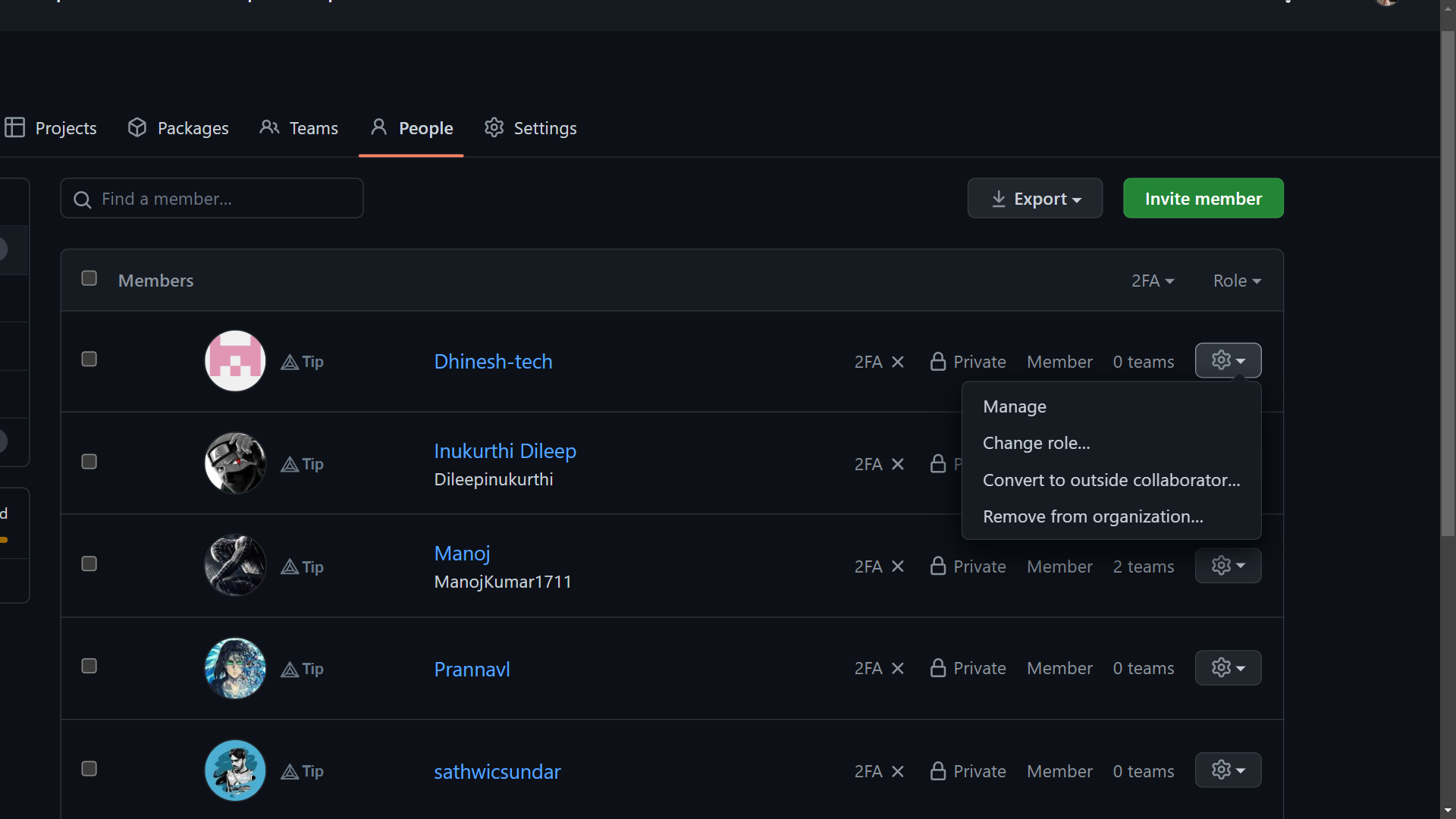
Unable to change organization member visibility #19481


-
|
|
Beta Was this translation helpful? Give feedback.
Replies: 3 comments 3 replies

-
|
@thunder-007, are you the owner of that particular GitHub Organization? If you are, continue reading on. It seems like by default, your organization's visibility setting is set to 'Private'. To toggle the visibility of your organization to 'Public', please follow the steps in this page of GitHub Docs. Otherwise, members of any organization have the option to toggle their own visibility in an organization as well. For informing your individual members on how to toggle on their organization visibility, you can refer to this link over here. I hope this reply has helped you. Appreciate it, and have a nice day 😄 |
Beta Was this translation helpful? Give feedback.
-
|
Those docs are outdated I mean the UI is completely different now btw I'm the owner of the organisation |
Beta Was this translation helpful? Give feedback.
-
|
@thunder-007, thanks for informing me that you are the organization owner. Can you follow the steps in this other GitHub Docs link? It should detail step by step instructions on how to set the default organization visibility to 'Public' and enforce the same default setting for all new members. Hope this clarifies and resolves your issue. Let me know if this answer is helpful. If it is, just 'Mark as answer'. Otherwise, ping me and we shall see what other possible solutions are there. |
Beta Was this translation helpful? Give feedback.

-
|
@thunder-007, I realized I may have added back the same link back here. If all fails, my final suggestion would be to raise a support ticket about your organization to GitHub Support. Kindly describe your issue to the support engineers, and allow them a few working days at least, to rectify and resolve your issue. Hope this is helpful. |
Beta Was this translation helpful? Give feedback.

-
|
Just raised a support ticket tq for assistance. |
Beta Was this translation helpful? Give feedback.
-
|
@thunder-007, no problem, grateful I was able to assist you :) Please mark this reply as answer, so that others know this issue has been addressed. Thanks! |
Beta Was this translation helpful? Give feedback.


@thunder-007, thanks for informing me that you are the organization owner.
Can you follow the steps in this other GitHub Docs link?
It should detail step by step instructions on how to set the default organization visibility to 'Public' and enforce the same default setting for all new members.
Hope this clarifies and resolves your issue.
Let me know if this answer is helpful. If it is, just 'Mark as answer'. Otherwise, ping me and we shall see what other possible solutions are there.