 GitHub Community
PLEASE HELP! Can’t push code to GitHub repository anymore. #27305


-
|
PLEASE HELP! Can’t push code to GitHub repository anymore. Nothing happens anymore when I push code to a new remote repository from the MacOS Terminal. It used to work just fine, but not since recently and I have no idea why. I use the following Command Lines:
Everything goes well (git folder is created etc.) except for the Push to the new remote repo. Nothing happens. When I close the terminal I get the following message: “Do you want to end the active processes in this window? If you close this window, the active processes will be ended: git (3), git-remote-https.” I also used VSCode to commit and push, but this also does not work. It shows that it’s syncing, but it goes on forever and nothing is Pushed. The things I did to try to solve the problem:
After the Git update I tried to push code again via the Terminal, but again nothing happens. After the push I now receive a Git-Credential-Osxkeychain window on which you can allow a password (which I disallowed).
On top of that I got a deprecation warning:
To surpress the deprecation warning I used the following Command Lines:
Response from the command: /bin/zsh
Again I started over (deleted local git folder and new Github repo). Then I made a new Github repo and tried to make a new push via the Terminal. This time no deprecation warning, and still nothing happens. No push to new remote repo. And on top of the Git Credential Osxkeychain Password window I also receive this window (which I ignored both):
When I close the Terminal I receive the following message again: “Do you want to end the active processes in this window? If you close this window, the active processes will be ended: …” After that I tried again, same thing nothing happens with the same message and password windows as above, but now I also receive this command response after the push:
What should I do? I hope I can get help from the community. What is the cause of all of this? And most important what is the solution? Your help is much appreciated!! PS. I don't know if I used the correct category. Please place it in the right category for me if I didn't. Thanks in Advance!! |




Beta Was this translation helpful? Give feedback.
Replies: 10 comments 15 replies

-
|
you can try GitHub Desktop also even without Git, push the commits but not on the default branch, so you can create a pull request on GitHub and they will be verified |
Beta Was this translation helpful? Give feedback.

-
|
Hello devstatic, thank you for your suggestion! I have no experience working with GitHub Desktop. I have looked into it, but it looks confusing to me.... I could not find a good tutorial or manual on this topic. What do you mean with "push the commits but not on the default branch"? |
Beta Was this translation helpful? Give feedback.
-
|
is this fixed by now ? |
Beta Was this translation helpful? Give feedback.
-
|
Hello jdevstatic, Unfortunately no, I still hope someone can help me solve the issue? Does anyone know? Help is much appreciated! |
Beta Was this translation helpful? Give feedback.
This comment was marked as spam.
This comment was marked as spam.
-
|
Hello SamNickGammer, thank you for your message. Can you please read my latest post below and elaborate? I have new screenshots. I tried to push again and I still receive the same message when closing the terminal “Do you want to end the active processes in this window? If you close this window, the active processes will be ended: git (2), git-remote-https, Wish, sh." |
Beta Was this translation helpful? Give feedback.
-
|
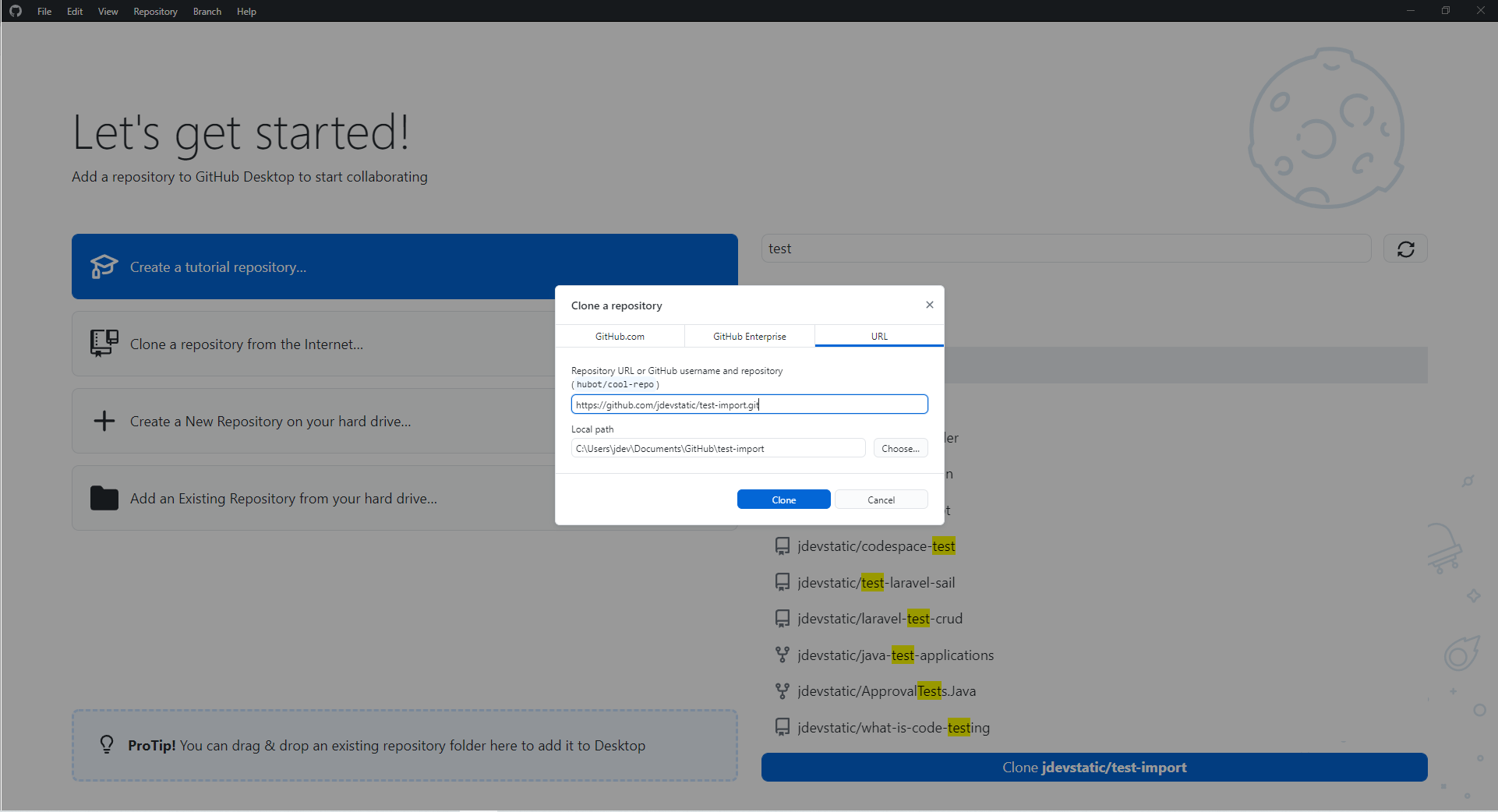
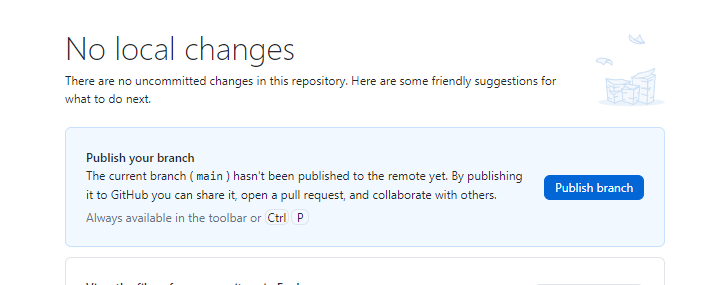
here is what I'm saying about GitHub Desktop download it, then clone the target repo
you can choose any directory you want then
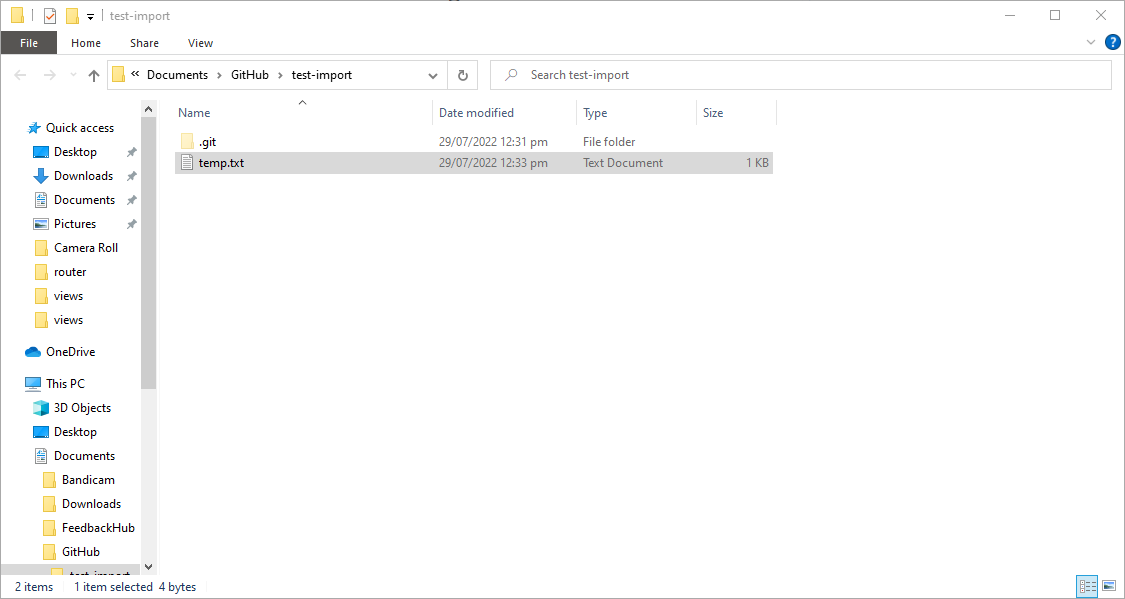
click Show in Explorer, then there is the File Explorer, drag all the change files from your local, say mine is
close the folder, you will see changes once you click on any white space,
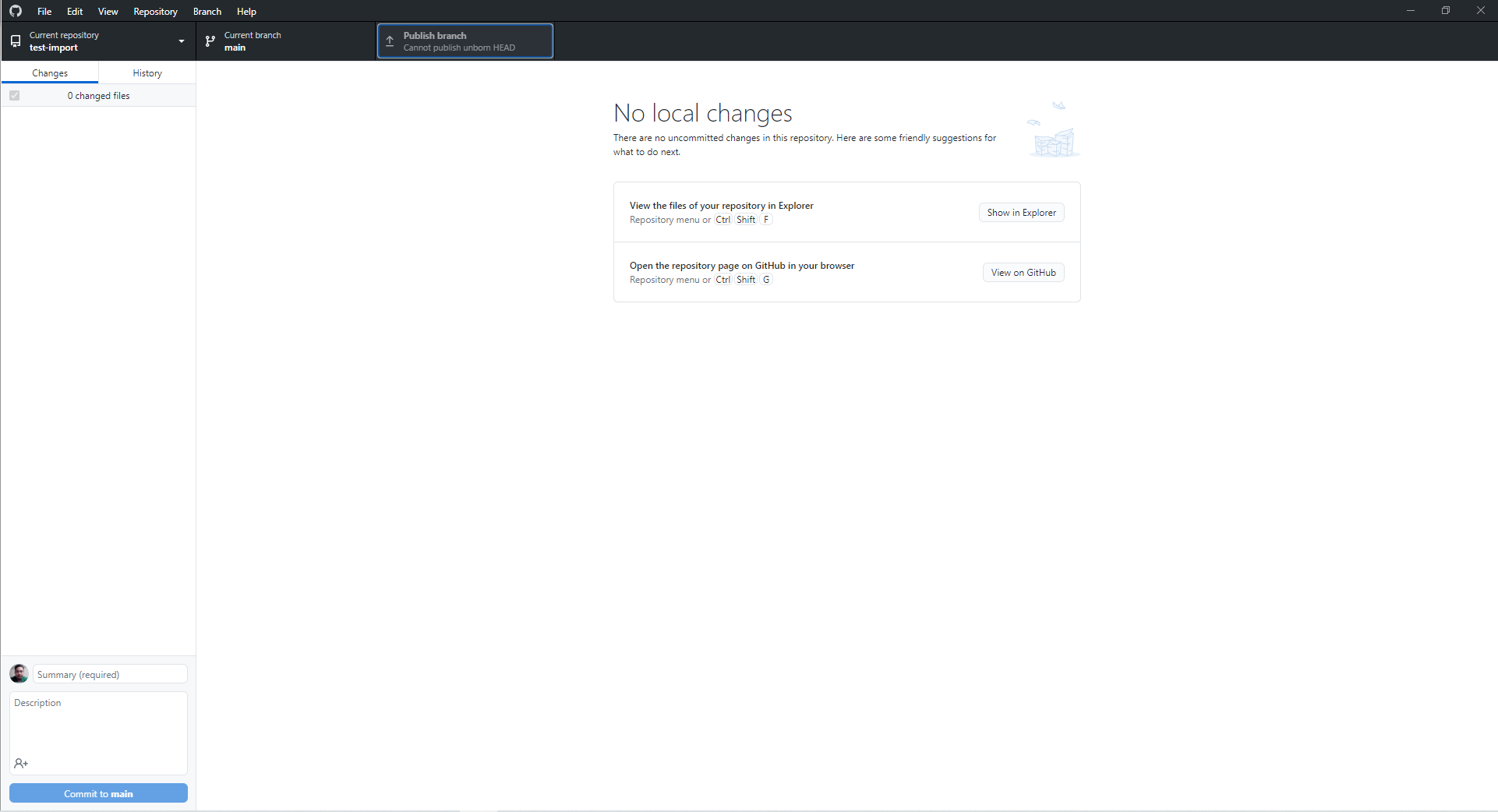
then you need to commit it, in my case, to main, but since I did not setup my commit signature that will be unverified, but the same as GitHub Web, you can create a new branch, that way it will be done through pull request, but going back, commit it
then click Publish, since this branch is not yet publish on GitHub |


Beta Was this translation helpful? Give feedback.
-
|
Thank you jdevstatic for the instructions. I appreciated it! I am going to look into Github Desktop as a last resort, because I prefer working with the command line. My question regarding my issue remains unanswered unfortunately. I really want to solve the issue. Still hope someone can help me out... I restarted my macbook, started fresh and tried to push again via the Terminal. Again I received this authentification window:
I clicked "No". Then nothing happens. When I closed the terminal I received the same message again:
Translation: “Do you want to end the active processes in this window? If you close this window, the active processes will be ended: git (2), git-remote-https, Wish, sh." "Wish" and "sh" are new, they showed up since I updated my Git. What does it mean? |


Beta Was this translation helpful? Give feedback.

-
|
Have you tried github personal access token like described here: |
Beta Was this translation helpful? Give feedback.
-
|
Hello Mamulashvili, Thank you for the link. I have read the documentation. I have never been prompted for my username and password before, because my credentials were not cached on my computer. For that reason I followed these instructions first: https://docs.github.com/en/get-started/getting-started-with-git/caching-your-github-credentials-in-git
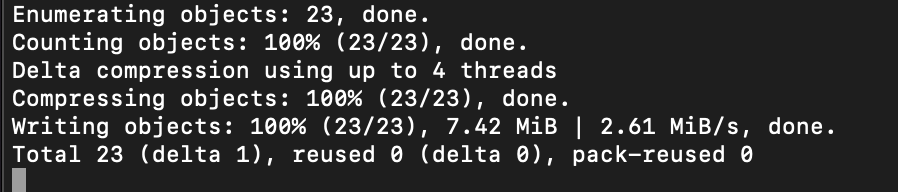
Everything went well and I accessed the GitHub authentication process successfully. I receive a command response that the push is Done:
However nothing happens again. When I refresh the repo on GitHub there is no updated repo. And when I want to close the terminal I again receive the same message: “Do you want to end the active processes in this window? If you close this window, the active processes will be ended: git (3), git-remote-https." I left the terminal open (for a long time) to see if the remote repo on GitHub updates, but still nothing.... Please correct me if I'm wrong, but I am not sure if this issue has something to do with the personal access token? It seems as if the terminal keeps freezing. What are these active processes that keep running in the background? Is there some way to find out what is happening? Still looking for a solution...hope someone can help me. |
Beta Was this translation helpful? Give feedback.

-
|
Hi @kxnzx |
Beta Was this translation helpful? Give feedback.

-
|
Oh, I will answer your 3 questions as follows:
Thanks for your question. |
Beta Was this translation helpful? Give feedback.
-
|
thuongtruong1009 Thank you! Much appreciated! Good day to you :) |
Beta Was this translation helpful? Give feedback.
-
|
Hello thuongtruong1009 , I have set a 2FA 2-factor authentication. Now I am having the same issue as last time. I tried git config --global credential.useHttpPath true again, but nothing happens. The first try I received the option to authenticate myself, that went well (it also asked me if I had updated the 2FA 2-factor authentication). Nothing has been pushed. Then I tried again, this time no option to authenticate myself. And also nothing is being pushed. PLEASE Help!! :S The terminal response looks good, but nothing is being pushed to the remote repo:
And again I receive the same message when I want to close the window of the terminal “Do you want to end the active processes in this window? If you close this window, the active processes will be ended: git (3), git-remote-https."
UPDATE: Why is GIT hanging constantly? Even when I pushed via VS Code the terminal kept giving me the same message “Do you want to end the active processes in this window? If you close this window, the active processes will be ended: git (3), git-remote-https." when closing the terminal (since I left it open). |


Beta Was this translation helpful? Give feedback.

-
Faced a similar problem as the original post and this solved the issue for me as well! Thanks! |
Beta Was this translation helpful? Give feedback.

-
|
Thank you SO MUCH! That's why everyone hates Git. The thing just stalls silently and you have to spend hours to find out what the hell is wrong. Why doesn't it just display an error or something?! |
Beta Was this translation helpful? Give feedback.

-
|
https://docs.bnbchain.org/docs/beaconchain/transfer#web-wallet |
Beta Was this translation helpful? Give feedback.

-
|
What to do now? I can upload stuff manualy, but can't push via CLI or GitKRaken |

Beta Was this translation helpful? Give feedback.
-
|
Oh, It seems that you access the wrong sh key. |
Beta Was this translation helpful? Give feedback.

-
|
git push --set-upstream origin main Please make sure you have the correct access rights Exactly the same error :(.
|
Beta Was this translation helpful? Give feedback.

-
|
100% success to push files to github. https://www.youtube.com/watch?v=V8WbIERFOJU |
Beta Was this translation helpful? Give feedback.

-
|
If you're still facing this problem, this video can help you out as it did for me. (First try to push and fail, then do the git remote set-url thing otherwise it gave me an error) |
Beta Was this translation helpful? Give feedback.


Hi @kxnzx
You can try
git config --global credential.useHttpPath true