 GitHub Community
Can't debug in Codespaces when in the browser #5590


-
|
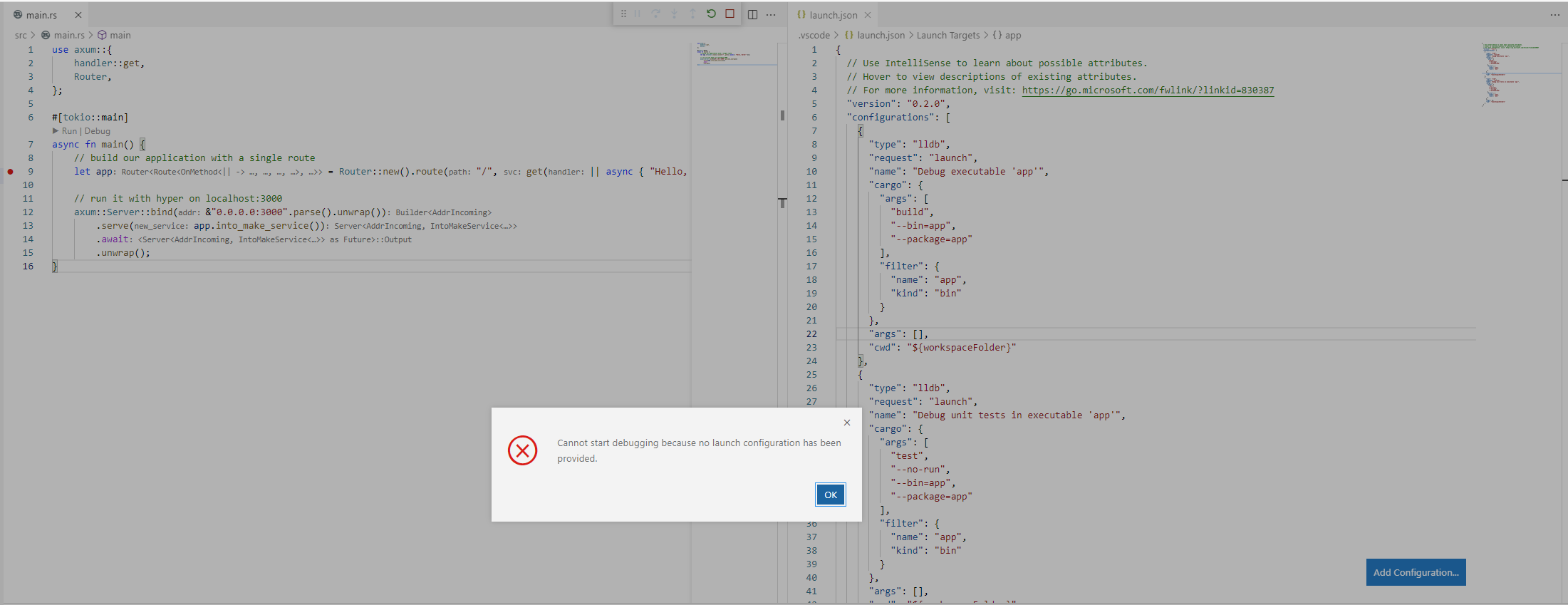
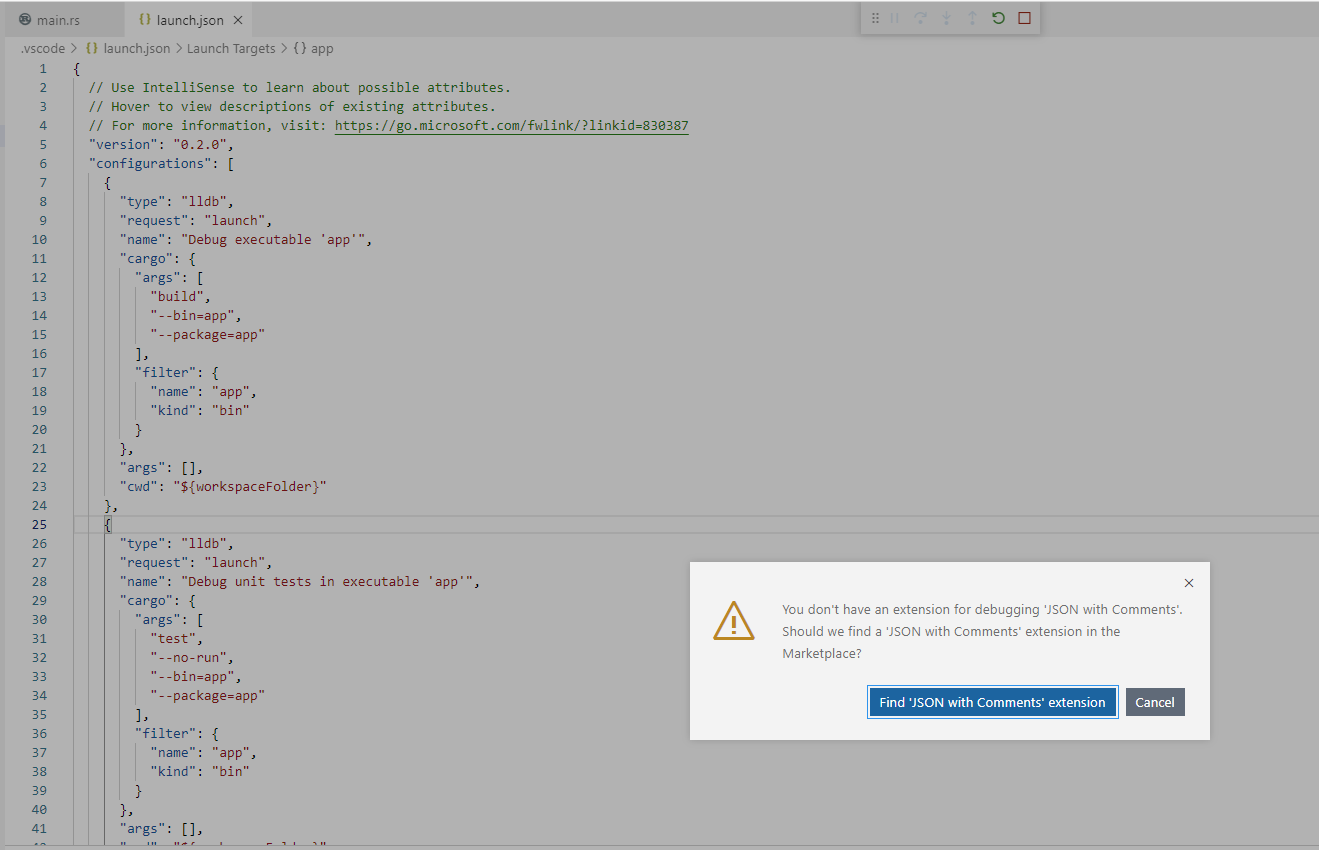
👋 Hello! I have a public repo that is correctly configured with When I launch Codespaces in the browser (or via app installed via browser address bar), I can usually hit
When I open
When I open my Codespace locally in VS Code, my Is this a bug / known issue? Thanks! Noel |
Beta Was this translation helpful? Give feedback.
Replies: 6 comments 2 replies

-
|
I'm having a similar issue with a simple C# project - wonder if it's the same issue? |
Beta Was this translation helpful? Give feedback.

-
|
Same issue |
Beta Was this translation helpful? Give feedback.

-
|
@weinand Is this a known issue with the current stable release on web? Version info (Codespaces Web):Version: 1.60.0 |
Beta Was this translation helpful? Give feedback.

-
|
I can repro this and am investigating |
Beta Was this translation helpful? Give feedback.

-
|
Any findings? |
Beta Was this translation helpful? Give feedback.

-
|
Same issue here. I hope it can be fixed, because my use case specifically depends on running the debugger. For now, I'll need to advise my colleagues to open the project in VSCode locally. |
Beta Was this translation helpful? Give feedback.
-
|
I was able to find a workaround for this by installing the Commands extension and setting up a custom command to launch my debugger like this: {
"commands": [
{
"command": "commands.refresh",
"text": "$(sync)",
"tooltip": "Refresh commands",
"color": "#FFCC00"
},
{
"command": "debug.startFromConfig",
"text": "Debug my thing",
"arguments": [
{
"name": "Debug my thing",
"args": [
"${workspaceFolder}/scripts/my/script.js"
],
"request": "launch",
"cwd": "${workspaceRoot}",
"type": "node",
"protocol": "inspector",
"internalConsoleOptions": "openOnSessionStart",
"outputCapture": "std"
}
]
}
]
} |
Beta Was this translation helpful? Give feedback.
-
|
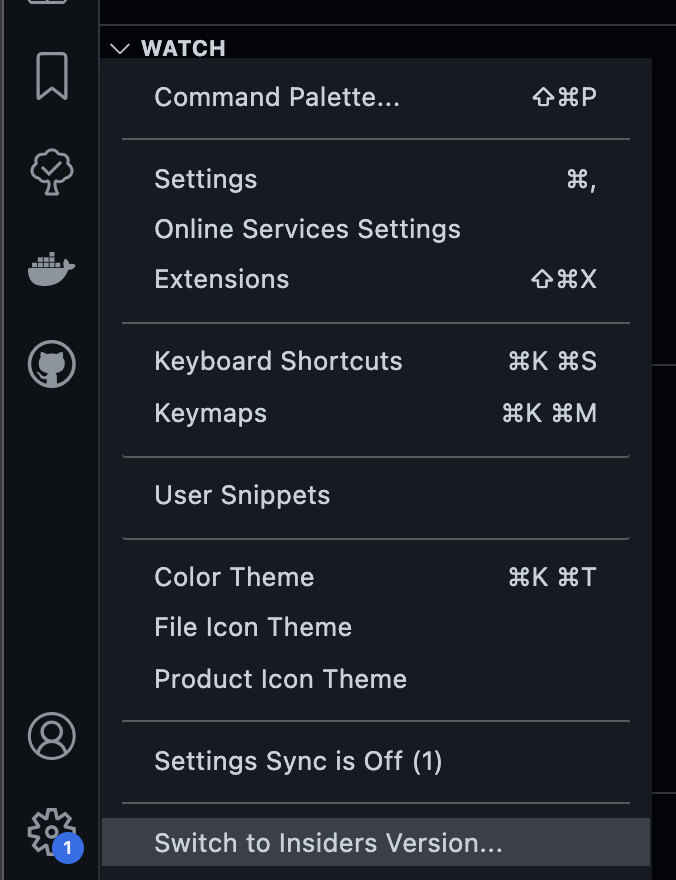
To close the loop here - A fix here was released in the VS Code stable release yesterday which will be landing in Codespaces soon. In the mean time, you can use VS Code insiders which already has the fix. To do so, click the gear in the lower left corner, and select "Switch to Insiders version..."
|
Beta Was this translation helpful? Give feedback.


To close the loop here - A fix here was released in the VS Code stable release yesterday which will be landing in Codespaces soon. In the mean time, you can use VS Code insiders which already has the fix. To do so, click the gear in the lower left corner, and select "Switch to Insiders version..."