 GitHub Community
[Projects-BETA] Hide specific status columns for different views #6989


-
|
Hi there! |
Beta Was this translation helpful? Give feedback.
Replies: 7 comments 4 replies

-
|
Possible duplicate of #6906 |
Beta Was this translation helpful? Give feedback.

-
|
Thanks for reaching out, @serpro69. I am also glad I am not the only one who noticed it. I just upvoted your thread, let's hope we manage to get some visibility and they indeed implement it. |
Beta Was this translation helpful? Give feedback.

-
|
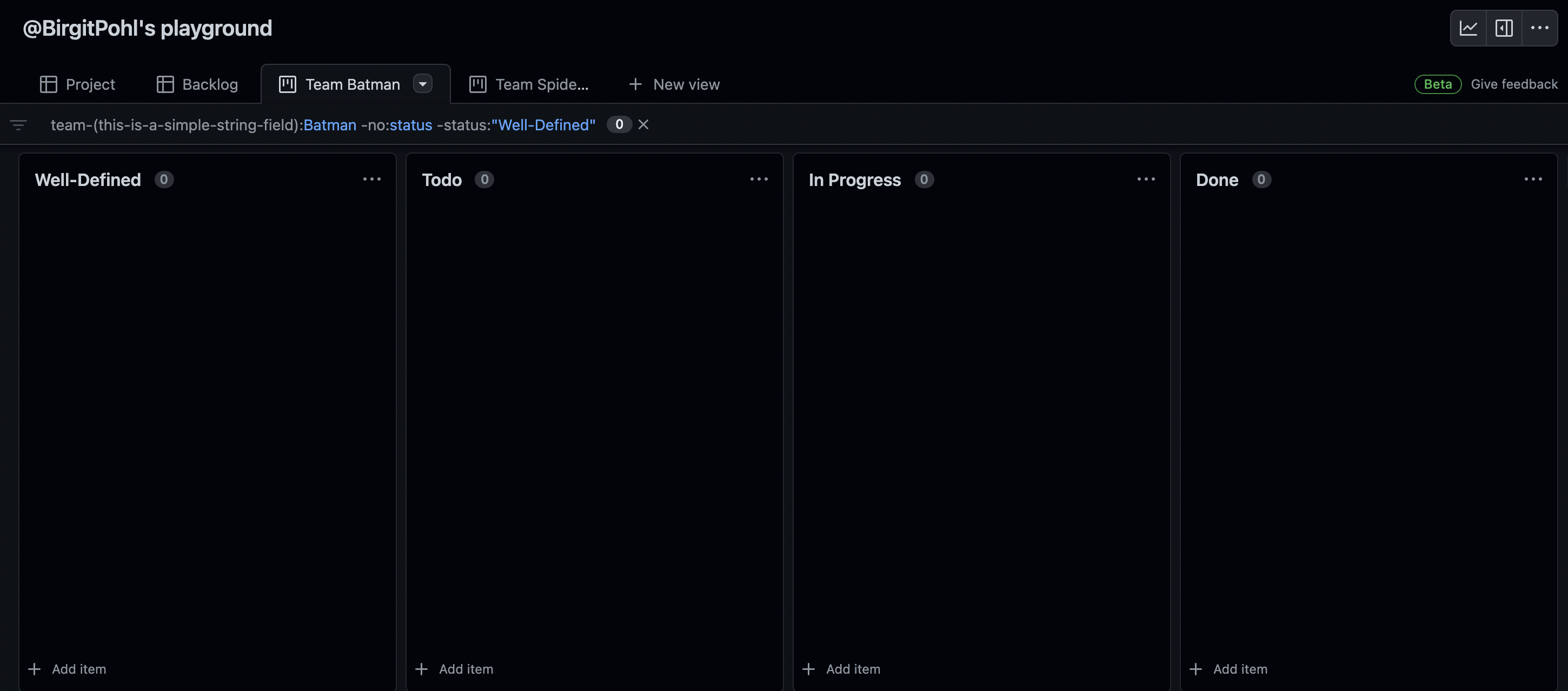
I just stumbled upon this, too. Also, with filter status columns, I'd be able to integrate UX research and UI design into an agile circle. |
Beta Was this translation helpful? Give feedback.

-
|
This would be awesome - my usecase is that our initial status of tickets is "Backlog", and we want to hide the backlog column from the kanban board. This is similar to the Jira Kanban backlog feature: https://support.atlassian.com/jira-software-cloud/docs/use-your-kanban-backlog/ |
Beta Was this translation helpful? Give feedback.

-
|
I over-came this by adding: status:"status`` you want to include" For multiple statuses I just separated each entry with a comma. |
Beta Was this translation helpful? Give feedback.

-
|
For you, does this remove the actual status columns or just the cards? For me it only removes the cards from those columns. |
Beta Was this translation helpful? Give feedback.

-
|
Yeah apparently this works for some people as in it hides the actual column but for others it just hides the cards. I agree with this suggestion that having a show/hide toggle will probably be easiest here - #6906 (comment) |
Beta Was this translation helpful? Give feedback.

-
|
My current fix is to install an extension like stylebot and then do [class*="column-frame"]:nth-of-type(3),
[class*="column-frame"]:nth-of-type(4) {
display: none;
}If there are several projects and you don't want the specific filter for all of them. then you have to narrow down the style URL to that specific project and have to do a refresh when changing project. |
Beta Was this translation helpful? Give feedback.

-
|
As this lack of functionally was one of the features preventing my team making the transition to the new GitHub projects, I have created a Chrome extension which looks for the For example, without the extension: the a filter of Feel free to give it a go and see if it works for you and submit any issues you have. Alternatively you could grab the source code and dump it in something like Tampermonkey Hopefully GitHub will add native support for this and I will remove the extension. |
Beta Was this translation helpful? Give feedback.

-
|
Check out our latest release where we auto-hide columns based on your filter query! It should be available on all your Projects now 🥳 |
Beta Was this translation helpful? Give feedback.

-
|
Very thanks! |
Beta Was this translation helpful? Give feedback.


Check out our latest release where we auto-hide columns based on your filter query! It should be available on all your Projects now 🥳